
Cirro
Ensure you have provided required credentials to ship with Cirro.
Cirro credential requirements
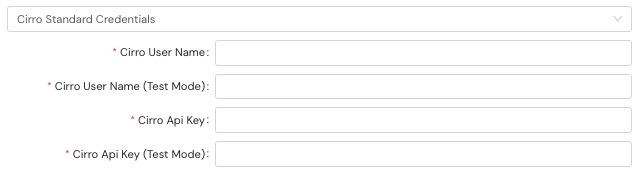
Prior to shipping with Cirro, you must configure credentials in the Shipium Console. You'll provide a user name and API key for production and test mode.
Cirro's service methods and their identifiers are listed on the Supported Carriers page.
Carrier configurables
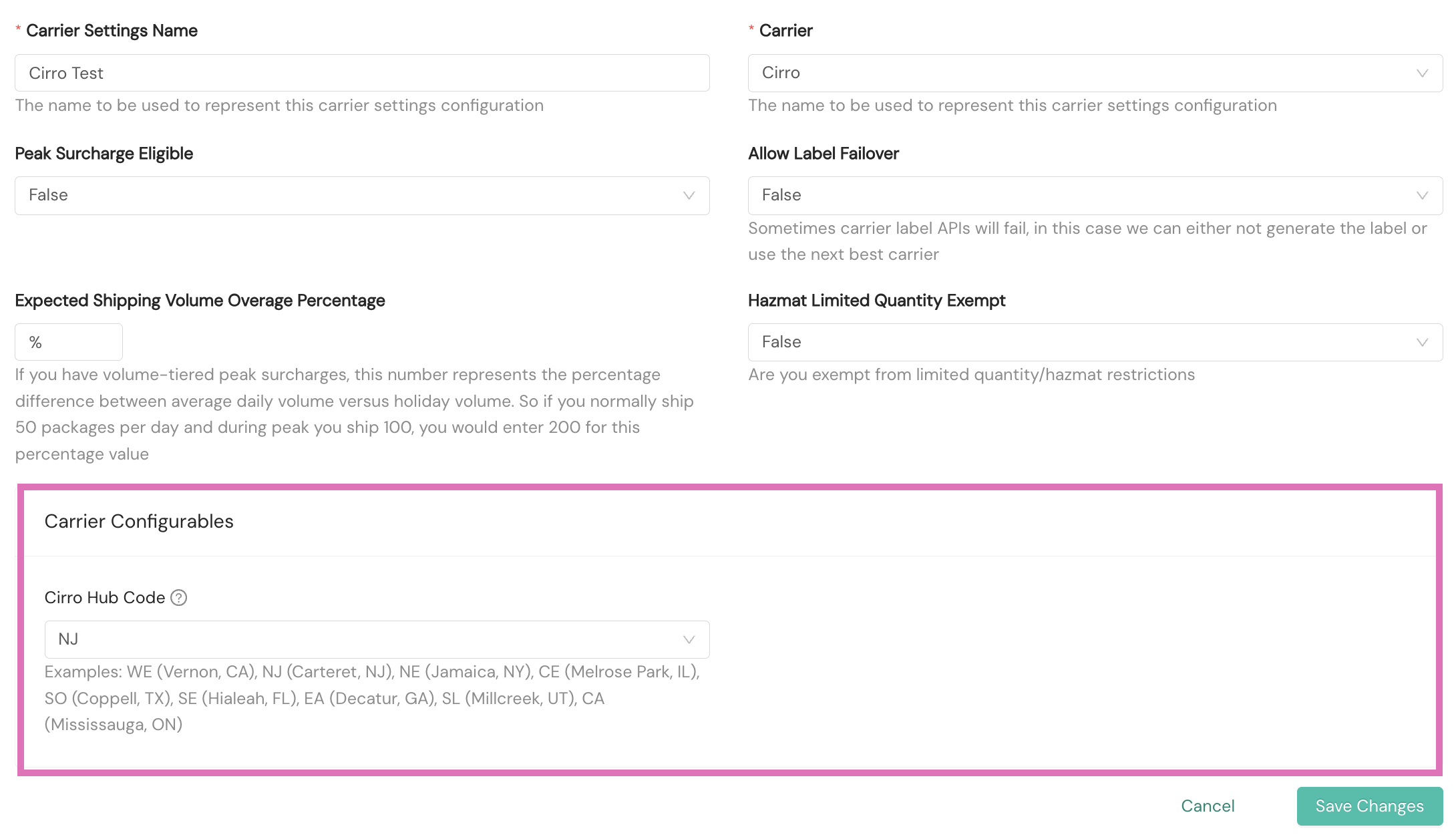
Carrier configurables are carrier-specific options you set on a Carrier Settings configuration in the Shipium Console. For Cirro, the Carrier Configurables section includes the Cirro Hub Code.
Cirro Hub Code
The Cirro Hub Code is the region code for the Cirro sort center that a Carrier Settings configuration delivers to. Shipium passes this code to Cirro for shipments that use the configuration.
| Configuration option | Details |
|---|---|
| Cirro Hub Code | Type: String Required: Yes Description: The region code for the Cirro sort center your shipments deliver to; Shipium passes this code to Cirro for shipments that use this Carrier Settings configuration. |
The available region codes and their Cirro sort centers are listed below.
| Region code | Cirro sort center |
|---|---|
| WE | Vernon, CA |
| NJ | Carteret, NJ |
| NE | Jamaica, NY |
| CE | Melrose Park, IL |
| SO | Coppell, TX |
| SE | Hialeah, FL |
| EA | Decatur, GA |
| SL | Millcreek, UT |
| CA | Mississauga, ON |
Because the Cirro Hub Code is set on the Carrier Settings configuration, each configuration delivers to a single Cirro sort center. You'll need to configure a separate Carrier Settings configuration for each sort center you ship from, and attach the appropriate configuration to the relevant carrier contract. If the Cirro Hub Code is not set, or does not match the sort center for a shipment's origin, the shipment fails.
Additional requirements
For single-parcel shipments, the following additional required fields should be nested in the shipmentParameters property. For multi-parcel shipments, they should be included in multiParcelShipmentParameters.
Required fields
| Request field | Details |
|---|---|
orderItemQuantities.productId | Type: String Example: RN03947--Z43121Description: A product ID for the product, such as ISBN or UPC |
orderItemQuantities.quantity | Type: Integer (int32) Example: 3Description: The number of units of the product |
A snippet of the JSON request for the API call with the required fields is included. This example is for a single-parcel shipment. A multi-parcel shipment would be included in multiParcelShipmentParameters.
{
  "shipmentParameters": {
    "orderItemQuantities": [
      {
        "productId": "RN03947--Z43121",
        "quantity": 3
      }
    ]
  }
}
Customs item to order item quantity mapping
For international shipments with Cirro, accurate customs declaration requires a precise mapping between the items declared in your customs information and the corresponding items within each package. Shipium facilitates this by connecting the productId values in your customsInfo.customsItems with the productId values in your package's orderItemQuantities.
You can find more information in Customs Info for Shipments.
Resources
Your Shipium team member is available to help along the way. However, you might find these resources helpful:
Updated 4 months ago