
DHL
Declare a value for packages when shipping with DHL.
DHL eCommerce credential requirements
Prior to shipping with DHL eCommerce, you must configure credentials in the Shipium Console. You'll provide values for both production and test mode for your DHL client ID, DHL client secret, and DHL client pickup account number. You'll also need to supply your DHL client distribution center.
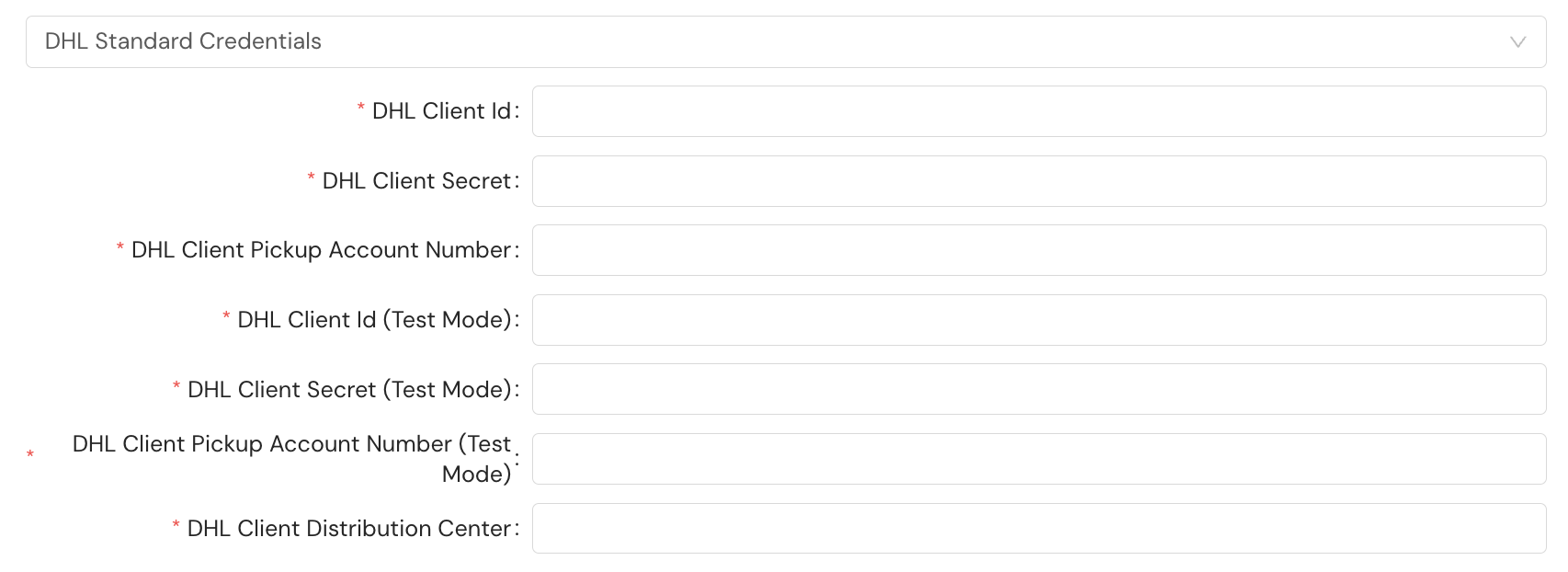
You do not need to provide the DHL Express key, DHL Express secret, DHL Express account number, or DHL Express key when configuring your DHL eCommerce account.
DHL eCommerce's service methods and their identifiers are listed on the Supported Carriers page.
DHL Express credential requirements
Prior to shipping with DHL Express, you must configure credentials in the Shipium Console. You'll provide values for both production and test mode for your DHL client ID, DHL client secret, DHL client pickup account number, DHL Express key, DHL Express secret, DHL Express account number, and DHL Express key. You'll also need to supply your DHL client distribution center.
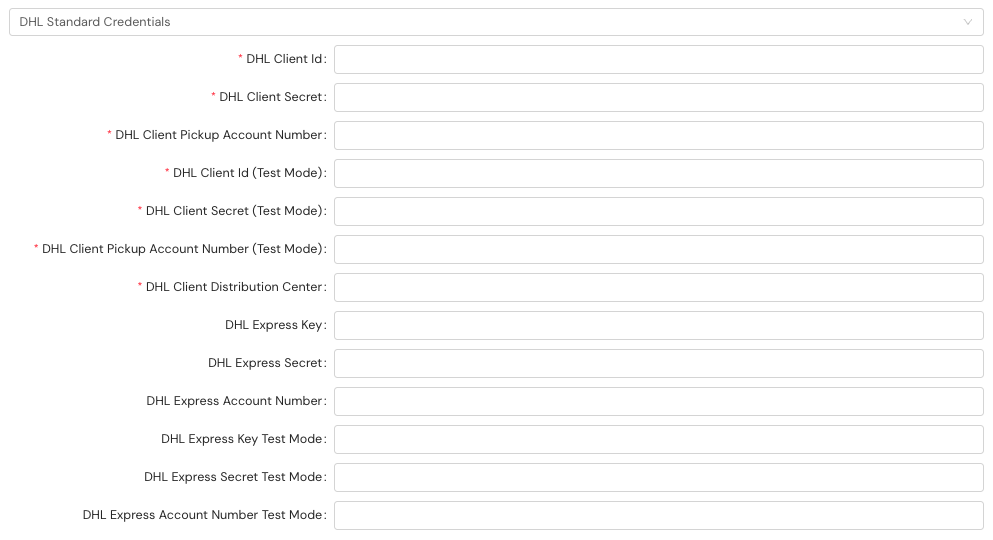
DHL Express's service methods and their identifiers are listed on the Supported Carriers page.
Declared value for packages when shipping with DHL eCommerce or DHL Express
When shipping with DHL eCommerce or DHL Express, you may optionally declare a value for the package being shipped. To declare a package value, you'll include the optional fields in the table below as part of the shipmentParameters in your API call.
| Request field | Details |
|---|---|
totalDeclaredValue.declaredValue | Type: Number (float) Example: 500Description: The value to be passed through as the total monetary amount of the declared value for the package. This is what will be reimbursed if the package is damaged. If the declared value exceeds the carrier's free threshold, there may be a surcharge for passing a declared value. |
totalDeclaredValue.currencyCode | Type: String Example: usdDescription: The currency code for the declared value |
A snippet of the JSON request for the API call with the required fields is included. This example is for a single-parcel shipment. A multi-parcel shipment request would include these fields in multiParcelShipmentParameters.
{
"shipmentParameters": {

   "totalDeclaredValue": {
        "declaredValue": 5000,
        "currencyCode": "usd",
 ...
     }
}
Prepaid shipping charges for DDP shipments when shipping with DHL Express
When shipping internationally with DHL Express using the DDP (Delivered Duty Paid) incoterm, you can include prepaid shipping or handling charges on the commercial invoice. These charges represent freight costs that have already been paid, and including them helps ensure accurate duty and tax calculations for DDP shipments.
To include prepaid charges, add the invoicePrePaidAmount object within customsInfo in your API call. This field is sent to DHL Express only when the incoterm is set to ddp and the invoicePrePaidAmount.value is greater than 0.
Request fields
| Request field | Details |
|---|---|
invoicePrePaidAmount.value | Type: Number (float) Example: 25.50Description: The monetary amount of the prepaid shipping or handling charges to include on the commercial invoice |
invoicePrePaidAmount.currencyCode | Type: String Example: USDDescription: The ISO 4217 currency code for the prepaid amount |
Example API call with prepaid charges
A snippet of the JSON request for the API call with the required fields is included. This example is for a single-parcel shipment. A multi-parcel shipment request would include these fields in multiParcelShipmentParameters.
{
    "shipmentParameters": {
        ...
        "customsInfo": {
            ...
            "incoterm": "ddp",
            "invoicePrePaidAmount": {
                "value": 25.50,
                "currencyCode": "USD"
            }
        }
    }
}
For more information about all available customs fields, see Customs Info for Shipments.
Resources
Your Shipium team member is available to help along the way. However, you might find these resources helpful:
Updated 4 months ago