
APC Postal Logistics
Ensure you have provided credentials to ship with APC Postal Logistics.
APC Postal Logistics credential requirements
Prior to shipping with APC, you must configure credentials in the Shipium Console. You'll provide an APC User ID, Account Number, Passcode, and Sender for both production and test mode.
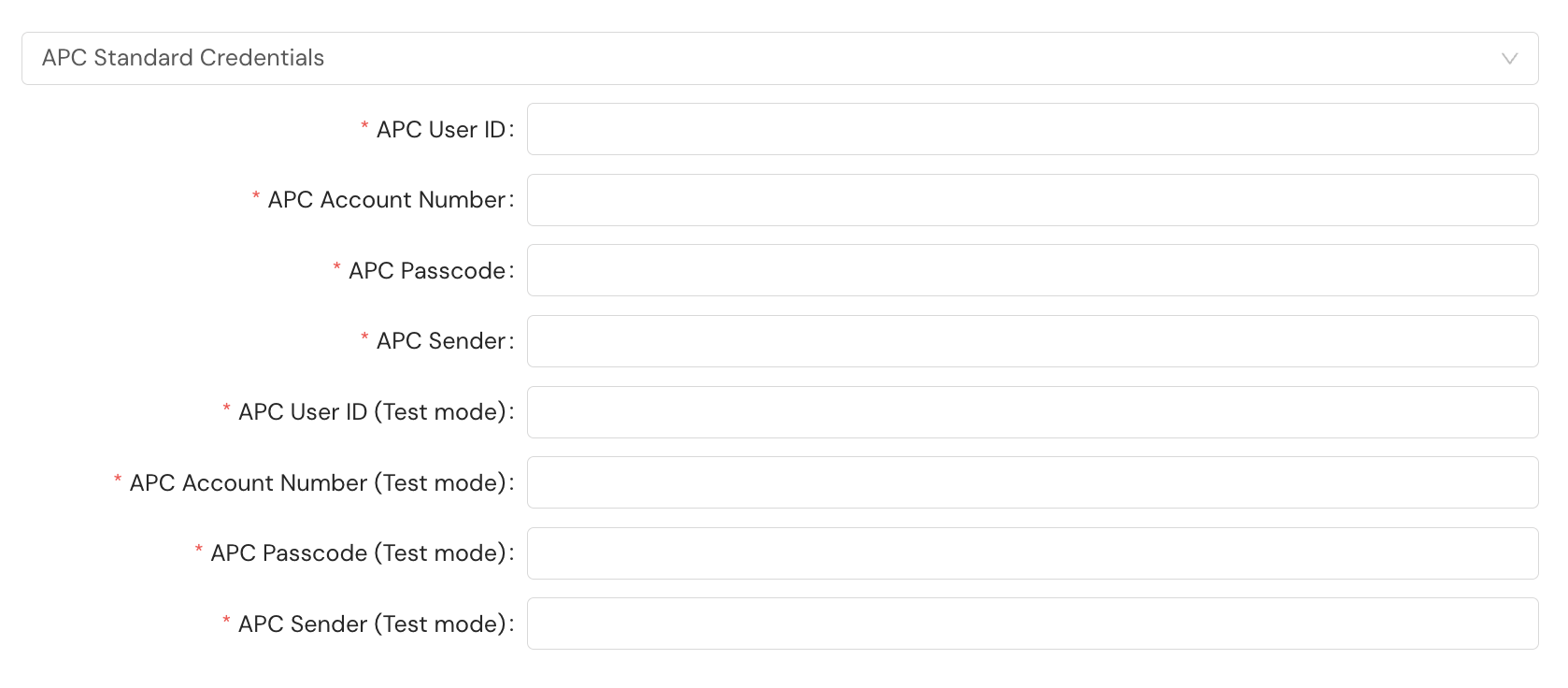
The Sender value is a routing identifier representing the APC processing hub where your shipments are received. Three values are valid:
- APC_NJ for the Rutherford, NJ hub
- APC_CA for the Los Angeles, CA hub
- APC_IL for the Chicago, IL hub
Your APC account contact will provide the value appropriate for your fulfillment workflow. You can also configure an optional cost center identifier as part of your carrier account setup. When configured, this value is sent to APC to categorize expenses for accounting purposes.
Additional requirements
| Request field | Details |
|---|---|
shipmentParameters.referenceIdentifier | Type: String Example: ORDER-12345Description: The referenceIdentifier field is required for all APC shipments. APC will reject any shipment request that does not include a value for referenceIdentifier. The value populates APC's ref1 field on the shipment and is printed on the generated label. |
A snippet of the JSON request for a shipment, including the required field:
{
  "shipmentParameters": {
    "referenceIdentifier": "ORDER-12345"
  }
}
You can optionally provide referenceIdentifier2 for an additional general-purpose reference value, which maps to APC's ref2 field.
International shipments
APC uses service method selection to determine duty handling rather than the standard incoterm field. To ship with delivered duty paid (DDP), select a DDP-designated service method. To ship with delivered duty unpaid (DDU), select a DDU-designated service method. See Supported Carriers for the full list of available APC service methods.
Resources
Your Shipium team member is available to help along the way. However, you might find these resources helpful:
Updated 5 months ago