
TikTok Shop
Ensure you have provided credentials to ship with TikTok Shop.
TikTok Shop requirements
TikTok Shop allows you to fulfill orders placed through TikTok Shop directly from your warehouse. Integrating TikTok Shop with Shipium enables you to generate shipping labels for TikTok Shop orders through Shipium's platform.
Prerequisites for TikTok Shop
Before your Shipium Implementation or Customer Success team configures TikTok Shop in Shipium, ensure you have:
- An active TikTok Shop seller account
- An existing fulfillment context in Shipium where you want to enable TikTok Shop
- Your Shipium Implementation or Customer Success team contact (they initiate setup and provide your registration link)
Console configuration for TikTok Shop
Your Shipium Implementation or Customer Success team will create your TikTok Shop carrier account and configure it in the Shipium Console. No credentials need to be entered manually — the TikTok Shop Cipher and Shipium TikTok Shop Initial Refresh Token fields in the Shipium Credentials section are populated automatically when you complete the registration process.
Registration process for TikTok Shop
Once your Shipium team has created your carrier account, they will provide you with a registration link to complete authorization with your TikTok Shop account.
Registration link expirationYour registration link expires after 30 days. If your link expires before you complete registration, contact your Shipium team to have it renewed.
Completing initial authorization
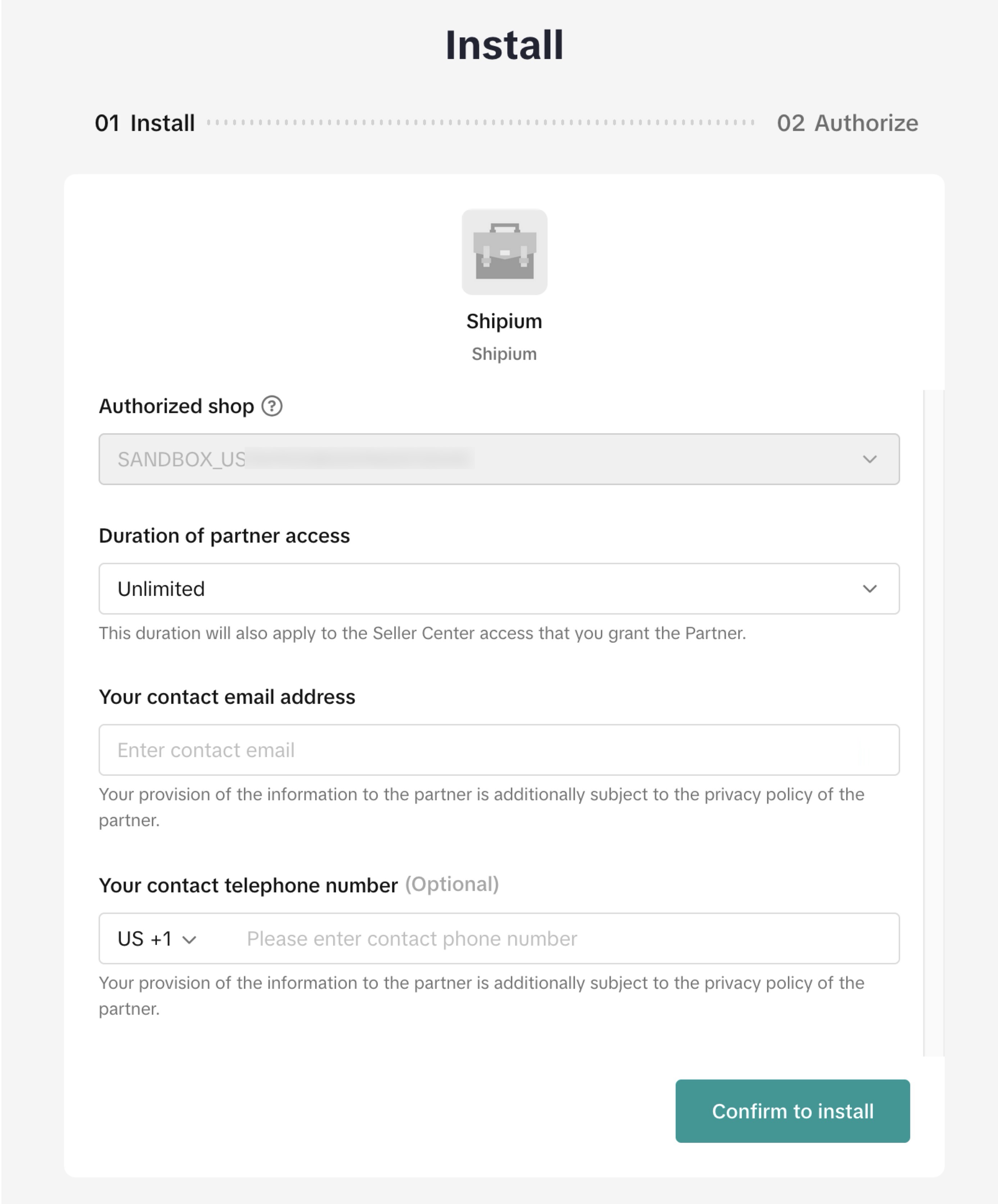
When you open the registration link, you'll be taken through a two-step authorization flow in TikTok Shop.
-
Open the registration link provided by your Shipium team. If you are not already logged into TikTok Shop in your browser, you will be prompted to select your region and log in before continuing.
-
On the Install screen, confirm your authorized shop is correct.
-
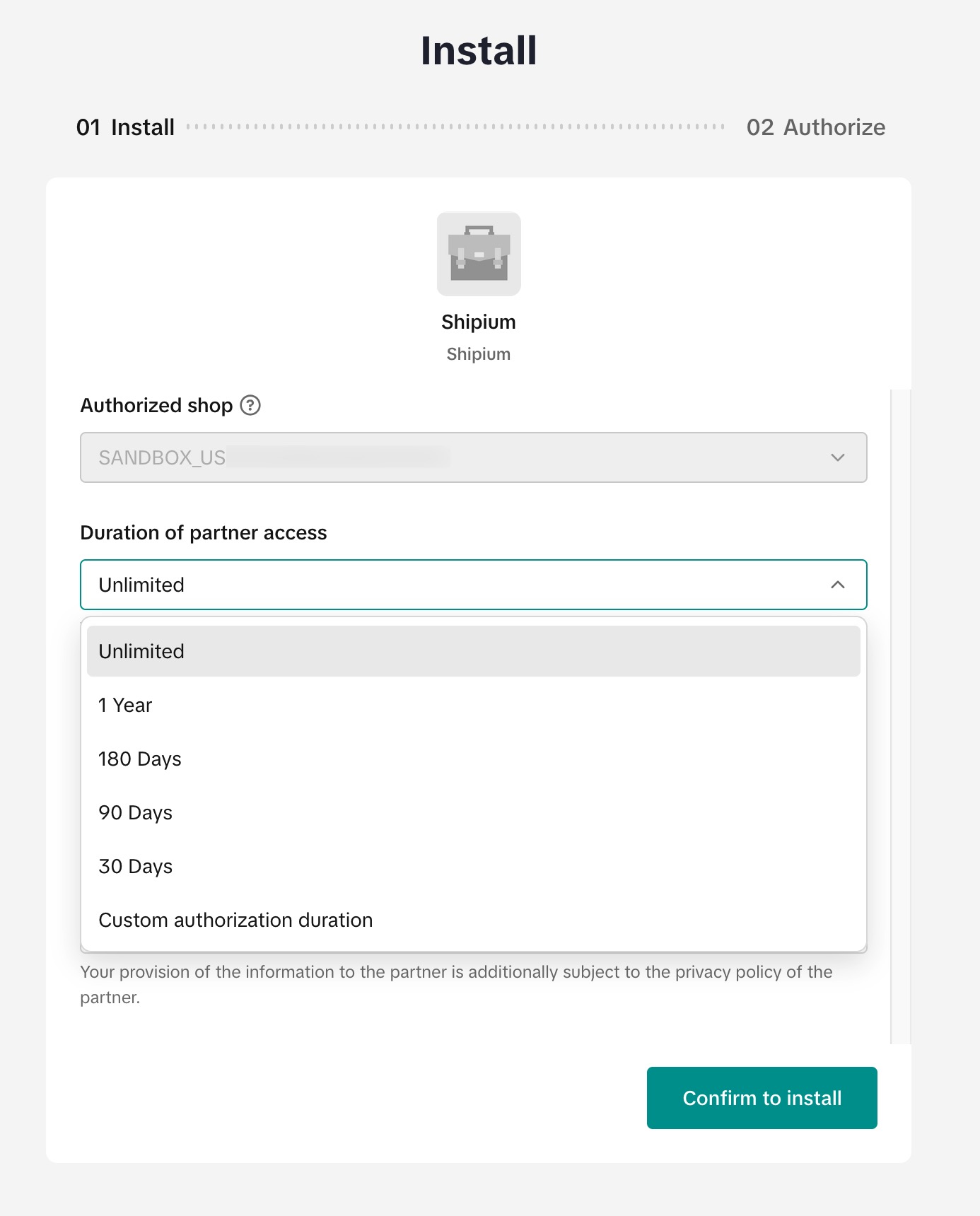
Under Duration of partner access, select Unlimited. Selecting any other duration will cause your authorization to expire, requiring re-authorization at that time.
-
Enter your contact email address. Optionally, enter a contact telephone number.
-
Select Confirm to install.
-
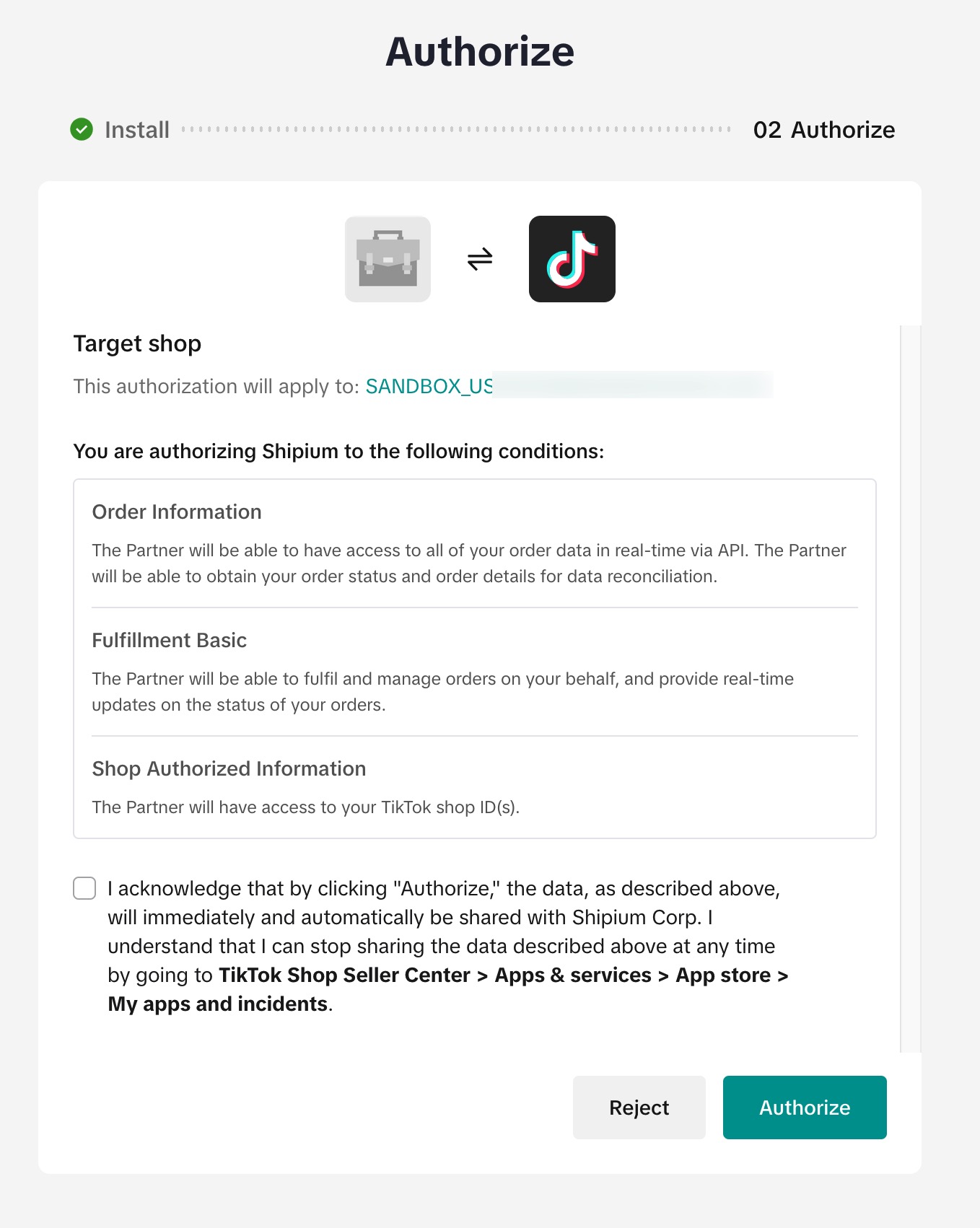
On the Authorize screen, review the permissions Shipium is requesting for your shop, then check the acknowledgment box.
-
Select Authorize.
-
After TikTok confirms authorization, you will be automatically redirected to Shipium. When you see the TikTok Registration Successful confirmation, your account has been verified and you can close the browser tab.
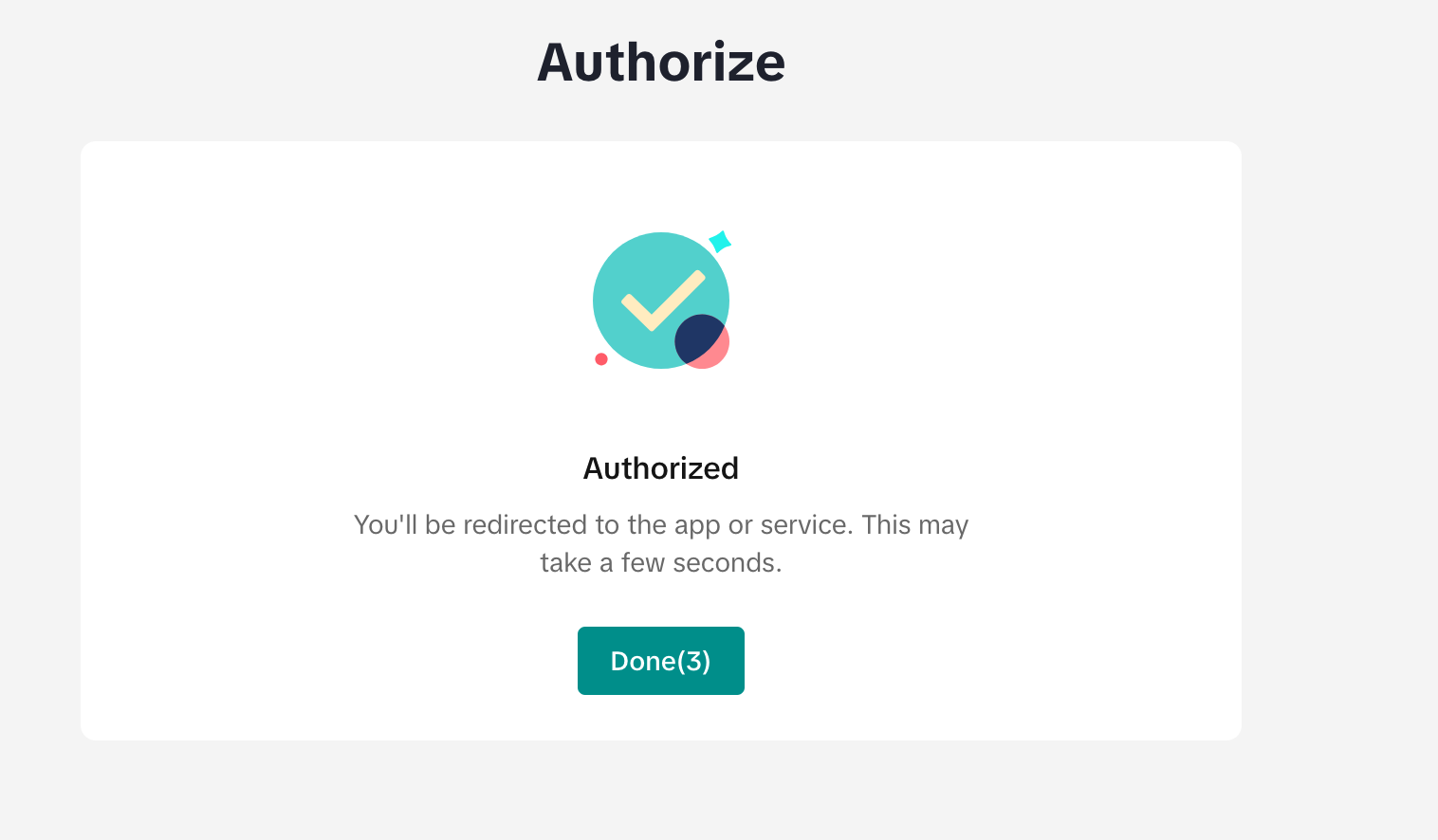
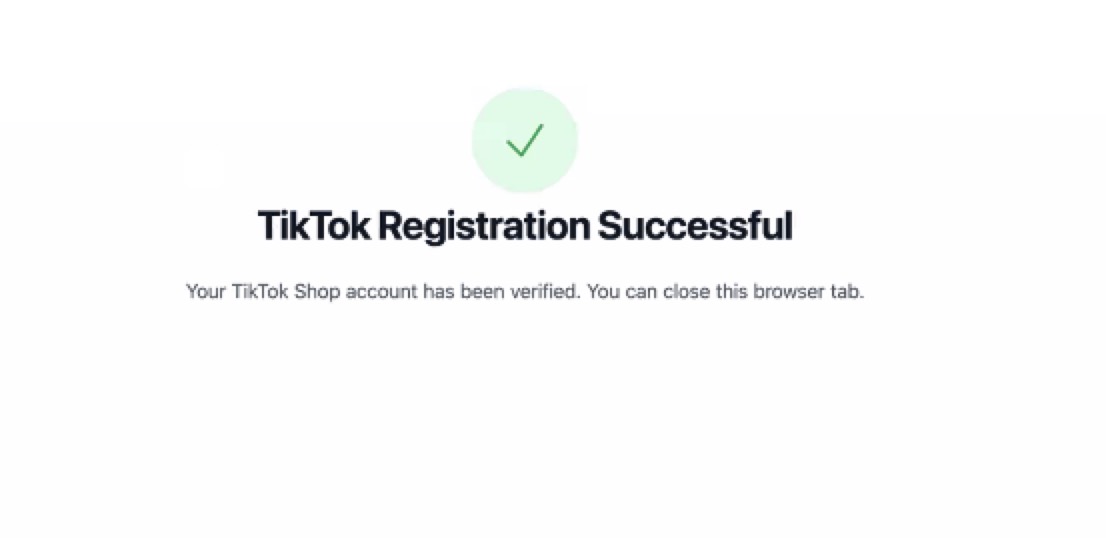
If registration fails for any reason, you will receive a message on the redirect page. You can reattempt registration using the same link, provided it has not expired.
Renewing authorization
If your authorization expires or your Shipium team determines you need to re-authorize, they will provide a renewal link. The renewal flow has two steps.
Step 1 — Renew: Confirm your authorized TikTok shop. Under Renew options, select the duration you want to apply. To avoid future re-authorization, select Update to unlimited. Enter your contact email address and select Confirm to install.
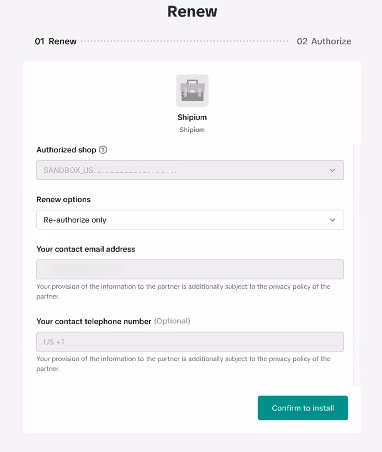
Step 2 — Authorize: Review the permissions Shipium is requesting for your shop, check the acknowledgment box, and select Authorize.
After TikTok confirms authorization, you will be automatically redirected to Shipium with a registration success confirmation.
API call requirements for TikTok Shop
When shipping with TikTok Shop, you must include the required field listed in the following table in your API call.
Required field
| Request field | Details |
|---|---|
shipmentParameters.carrierProcessingId | Type: String Description: The TikTok-generated order ID for the shipment. This value is required on every call; calls without it will be rejected. |
Recommended field
| Request field | Details |
|---|---|
shipmentParameters.orderSourceName | Type: String Description: The source of the order. Set this value to tiktokshop for TikTok Shop orders. Including this field is recommended as best practice for tracking order origins. |
Conditional field
| Request field | Details |
|---|---|
carrierServiceMethodAllowList | Type: Array of strings Condition: Required only if your fulfillment context includes multiple carriers Description: Restricts carrier selection to the specified service method(s). To route a call to TikTok Shop in a multi-carrier fulfillment context, include ["tiktokshop-service-method"]. If TikTok Shop is the only carrier in your fulfillment context, this field can be omitted. |
Multi-parcel shipments
For multi-parcel shipments with TikTok Shop, you must specify the TikTok item IDs for each product in each box. TikTok assigns a unique identifier to each item in your TikTok Shop order — this identifier is returned in the TikTok webhook when an order is created.
| Request field | Details |
|---|---|
shipmentParameters.orderItemQuantities[] .orderItemReferenceIdentifier | Type: String Description: The TikTok order line ID ( order_line_id) for each item in the shipment. You receive this value from the TikTok order creation webhook. Required for multi-parcel shipments. |
RecommendationWe recommend always including
orderItemReferenceIdentifierin your API calls, even for single-parcel shipments. TikTok only uses these identifiers for multi-parcel orders, but including them consistently simplifies your integration logic and enables automated error recovery if a multi-parcel call encounters an issue.
Important behaviors and limitations
Response time
When generating labels with TikTok Shop, you may notice a longer response time than with other carriers. This is expected behavior for the TikTok Shop integration. For multi-parcel shipments, additional processing time should be expected as Shipium communicates with TikTok for each individual package in the shipment.
Label void
Voiding labels through Shipium is not currently supported for TikTok Shop. If you need to void a label, you must do so directly through TikTok Seller Center.
Tracking
Shipment tracking is not currently supported for TikTok Shop.
Resources
Your Shipium team member is available to help along the way. You may also find these resources helpful:
Updated 5 months ago