
Maersk
Ensure you have provided required credentials to ship with Maersk.
Maersk credential requirements
Prior to shipping with Maersk, you must configure credentials in the Shipium Console. You'll provide a Client ID and Client Secret for production and test mode.
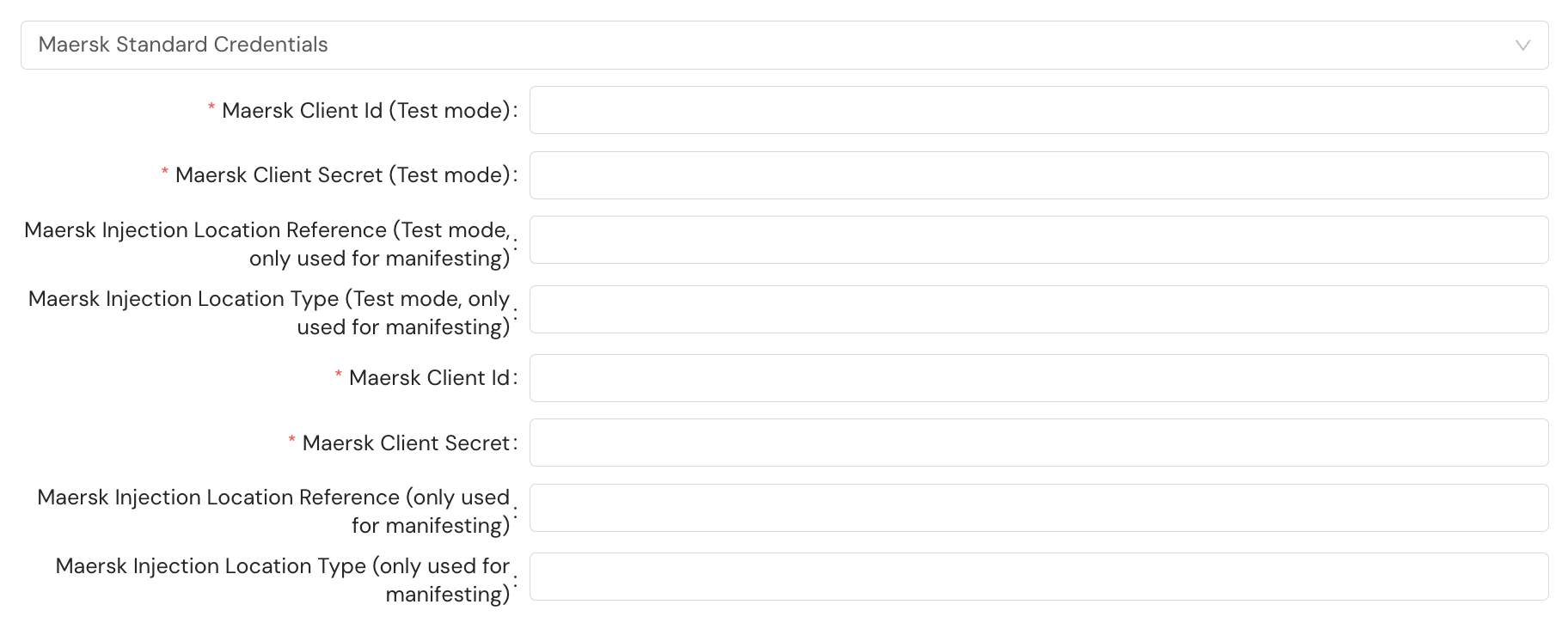
If your fulfillment workflow includes manifesting, you must also configure the Maersk Injection Location Reference and Maersk Injection Location Type fields for both production and test mode. These fields identify the physical handoff point (such as a sorting center code and facility type) where you hand parcels to Maersk, and Maersk supplies the values during onboarding. The values are used only when Shipium manifests your shipments with Maersk, so you don't include them in your shipment requests.
Maersk's service methods and their identifiers are listed on the Supported Carriers page.
Additional requirements for international shipments
When shipping internationally with Maersk, totalDeclaredValue is required on each package. For single-parcel shipments, nest in shipmentParameters.totalDeclaredValue. For multi-parcel shipments, nest inside each package in multiParcelShipmentParameters.packages[].totalDeclaredValue.
| Request field | Details |
|---|---|
totalDeclaredValue.declaredValue | Type: Number Required Description: Declared value of the package contents |
totalDeclaredValue.currencyCode | Type: String Required Description: The currency code of the declared value |
A snippet of the JSON request for a single-parcel international shipment is included below. A multi-parcel shipment would include totalDeclaredValue on each package in the packages[] array within multiParcelShipmentParameters.
{
  "shipmentParameters": {
    "totalDeclaredValue": {
      "declaredValue": 45.00,
      "currencyCode": "USD"
    }
  }
}
For required customs information that applies to all international shipments regardless of carrier, see Customs Info for Shipments.
Hold at location
You can designate a shipment as "hold at location" (HAL) to have a package held for pickup at a nearby Maersk location. To do so, you'll include the following fields in labelParameters.
| Field | Details |
|---|---|
holdAtLocation.useHoldAtLocation | Type: Boolean Description: Set to true to flag as HAL |
holdAtLocation.holdAtLocationId | Type: String Optional: The ID value is optional. Description: Reference identifier for the held package |
{
  "labelParameters": {
    "holdAtLocation": {
      "useHoldAtLocation": true,
      "holdAtLocationId": "MZLY-001"
    }
  }
}
Resources
Your Shipium team member is available to help along the way. However, you might find these resources helpful:
Updated 4 months ago